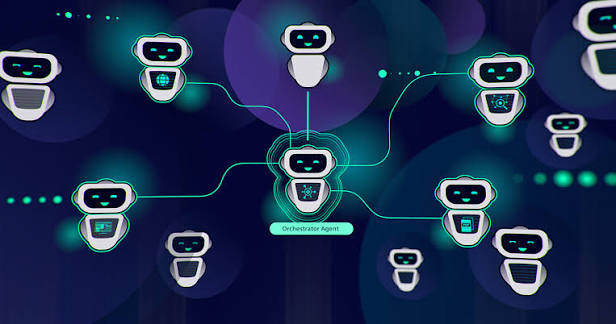
AI agents are becoming one of the most important technologies for business automation in 2026. Unlike traditional chatbots, modern AI agents can understand goals, use connected tools, retrieve information, make decisions within defined limits and execute multi-step workflows.
For small businesses, startups and larger organizations, AI agents can automate tasks across sales, customer support, marketing, operations, research, administration and software development.
- What Are AI Agents?
- AI Agents vs Traditional Automation
- Best AI Agents for Business in 2026
- AI Agent Comparison
- Zapier Agents
- ChatGPT Workspace Agents
- Claude
- Microsoft Copilot
- Salesforce Agentforce
- Lindy
- Business Use Cases
- AI Agent Costs
- Security and Governance
- How to Implement AI Agents
- Common Mistakes
- Frequently Asked Questions
What Are AI Agents?
An AI agent is a software system designed to pursue a specific objective by reasoning about a task, accessing information and using available tools to perform actions.
A traditional chatbot generally waits for a user message and generates a response. An AI agent can go further: it can receive a goal, break the goal into steps, use connected applications, evaluate results and continue working until the task reaches a defined stopping point.
The exact capabilities depend on the platform, connected applications, permissions, models and safeguards configured by the business.
AI Agents vs Traditional Automation
Traditional automation usually follows predefined rules. AI agents introduce more flexibility because they can interpret unstructured information and decide which available action is appropriate.
| Feature | Traditional Automation | AI Agent |
|---|---|---|
| Workflow | Predefined sequence | Can dynamically determine steps |
| Input | Usually structured | Can understand text and other unstructured data |
| Decision Making | Rule based | Model-assisted reasoning |
| Tool Usage | Preconfigured actions | Can select from available tools |
| Adaptability | Low to moderate | Potentially higher |
| Risk | Usually easier to predict | Requires stronger governance |
This does not mean AI agents should replace traditional automation. In many businesses, the best architecture combines deterministic workflows with AI for the steps that require interpretation or reasoning.
“`Best AI Agents for Business Automation in 2026
“`There is no single best AI agent for every company. The right choice depends on whether your priority is general productivity, application integration, CRM automation, customer service, research, coding or end-to-end workflow execution.
Zapier Agents
Best for businesses that need agents connected to a large number of applications and existing automation workflows.
ChatGPT Workspace Agents
Best for teams already using ChatGPT that want shared agents for research, knowledge work and repeatable business tasks.
Claude
Strong option for research, technical workflows, document-heavy tasks and agentic computer or coding work.
Microsoft Copilot
Particularly attractive for organizations heavily invested in Microsoft 365, Teams and other Microsoft business products.
Salesforce Agentforce
Designed around CRM, sales, service and customer-facing business processes.
Lindy
Useful for personal and team productivity workflows involving email, scheduling and repetitive communication.
AI Agent Comparison for Business Automation
“`| AI Agent | Best For | Key Strength | Business Fit |
|---|---|---|---|
| Zapier Agents | Cross-app automation | Large integration ecosystem | Small businesses to enterprise |
| ChatGPT Workspace Agents | Research and internal work | Shared AI agents and connectors | Teams using ChatGPT |
| Claude | Technical and knowledge work | Agentic computer and coding workflows | Technical teams |
| Microsoft Copilot | Microsoft ecosystem | Deep workplace integration | Microsoft-centric organizations |
| Salesforce Agentforce | CRM automation | Sales and customer-service workflows | Salesforce customers |
| Lindy | Personal productivity | Email and scheduling automation | Small teams and professionals |
1. Zapier Agents: Best for Cross-App Business Automation
“`Zapier is particularly interesting for business automation because it combines AI agents with a large application integration ecosystem. Zapier describes its 2026 agent platform as supporting thousands of application integrations, managed credentials, AI guardrails and human-in-the-loop approvals.
What Can You Automate?
- Lead qualification
- CRM updates
- Email processing
- Customer support workflows
- Marketing tasks
- Data collection
- Notifications
- Internal reporting
Zapier is especially useful when a company already has a collection of SaaS applications that need to communicate with each other.
Zapier’s 2026 business automation guidance also positions AI agents as part of broader business process automation rather than as isolated chatbots.
“`2. ChatGPT Workspace Agents: Best for AI-Powered Knowledge Work
“`ChatGPT workspace agents are designed for shared business use. According to Zapier’s 2026 overview, they can be connected to applications such as Slack, Google Workspace, Microsoft 365, Salesforce and Notion, while providing administrative controls over agent creation, sharing and connected tools.
Good Use Cases
- Research projects
- Internal knowledge retrieval
- Document analysis
- Meeting follow-up
- Business reporting
- Project management assistance
- Competitive research
This type of agent can be particularly attractive when employees already work inside ChatGPT and the company wants to transform individual AI usage into repeatable team workflows.
“`3. Claude: Best for Technical and Complex Knowledge Work
“`Claude has become an important option for technical teams and organizations that want an AI system capable of handling complex documents, research and coding-oriented tasks.
In the 2026 agent landscape, Claude is also being positioned around agentic desktop and coding workflows, including scheduled tasks and computer-use capabilities.
Business Applications
- Analyzing large documents
- Technical research
- Software development
- Code review
- Data analysis assistance
- Report generation
- Internal knowledge workflows
Claude is particularly interesting for companies where the automation task involves reasoning over substantial amounts of technical or business information.
“`4. Microsoft Copilot: Best for Microsoft-Based Businesses
“`Microsoft is positioning Copilot as a broader work platform that combines AI assistants, agents and workplace applications. Recent developments show Microsoft increasingly focused on giving organizations tools to control what agents can access and do.
This makes Copilot particularly relevant for businesses that already depend on Microsoft 365, Teams, Outlook, SharePoint and other Microsoft services.
Potential Use Cases
- Email management
- Meeting summaries
- Document creation
- Internal knowledge retrieval
- Spreadsheet assistance
- Project coordination
- Business reporting
5. Salesforce Agentforce: Best for CRM and Customer Operations
“`Businesses whose core processes revolve around customer relationships can benefit from agent technology integrated directly into CRM workflows.
Potential Applications
- Lead qualification
- Customer service
- Sales assistance
- Case routing
- Customer information retrieval
- Follow-up workflows
- CRM task automation
The main advantage of a CRM-focused agent is context. Instead of operating as a generic chatbot, the agent can be designed around customer records, sales processes and service workflows.
“`6. Lindy: Best for Personal and Team Productivity
“`Lindy is an AI assistant focused heavily on business productivity. It can be used for workflows involving email, scheduling, communications and repetitive administrative tasks.
Potential Use Cases
- Email triage
- Meeting scheduling
- Follow-up reminders
- Administrative tasks
- Customer communication
- Personal productivity
It can be a useful option for professionals who want an AI agent to handle repetitive communication and scheduling tasks without building a large technical automation system.
“`Best AI Agent Use Cases for Businesses
“`Sales
Research prospects, qualify leads, prepare follow-ups and update CRM records.
Customer Support
Classify requests, retrieve knowledge-base information and prepare responses.
Marketing
Research topics, create campaign drafts and organize marketing workflows.
Finance
Assist with document processing, reporting and financial information organization.
HR
Assist with recruiting workflows, candidate communications and employee documentation.
Operations
Monitor workflows, generate reports and trigger actions when predefined conditions occur.
Example: AI Sales Agent Workflow
Find a New Lead
The agent receives a new lead from a website, CRM or marketing platform.
Analyze the Lead
The AI reviews the available information and categorizes the prospect.
Research the Company
Where permitted, the agent can gather relevant public information about the company.
Prepare a Follow-Up
The agent generates a personalized draft based on the available context.
Request Approval
A salesperson reviews the message before it is sent when human approval is required.
Update the CRM
The workflow records the result and schedules the next action.
How Much Do AI Agents Cost in 2026?
“`AI agent costs vary considerably depending on the platform, number of users, model usage, connected applications, automation volume and enterprise requirements.
| Business Requirement | Typical Approach | Cost Consideration |
|---|---|---|
| Individual productivity | AI assistant subscription | Usually lowest-cost entry point |
| Small team automation | AI agent + automation platform | Subscription plus workflow usage |
| CRM automation | CRM-native agents | Depends on CRM edition and usage |
| Complex workflows | Custom agent architecture | Development, API and infrastructure costs |
| Enterprise deployment | Governed agent platform | Licensing, security and administration |
For example, Zapier’s 2026 overview lists a free plan and paid plans starting around $19.99 per month, while its enterprise offering adds team and enterprise capabilities. ChatGPT workspace agents are described as included with ChatGPT Business at $25 per user per month, although production usage and pricing structures can evolve.
Pricing changes frequently. Verify current pricing, usage limits and enterprise terms directly with each provider before purchasing.
“`AI Agent Security and Governance
“`Autonomous AI creates a different security challenge from ordinary chatbots because an agent may have permission to read information, interact with applications and perform actions.
Recent research and industry analysis highlight risks such as prompt injection, data leakage, excessive permissions and agents performing actions outside the user’s intended objective.
Use Least-Privilege Access
Give an agent only the applications and permissions it actually needs.
Require Human Approval for High-Risk Actions
Consider requiring approval before an agent sends sensitive communications, makes financial transactions, deletes records or changes important business data.
Monitor Agent Activity
Maintain logs where possible so administrators can understand what an agent did and why.
Protect Business Data
Review how each provider handles data, retention, access controls and enterprise security before connecting sensitive business systems.
How to Implement AI Agents in a Business
“`Choose One Business Process
Start with a repetitive process that has measurable costs or delays.
Define the Agent’s Objective
Write down exactly what the agent is expected to accomplish and what it must not do.
Map the Required Tools
Identify the CRM, email platform, database, calendar, documents or other systems the agent needs to access.
Set Permissions
Use the smallest practical permission set and separate read-only operations from actions that modify business data.
Build a Pilot
Test the agent with a limited amount of real-world work before deploying it broadly.
Add Human Approval
Keep employees in the loop for actions where errors could create financial, legal, reputational or customer-service problems.
Measure Performance
Track completion rate, errors, time saved, cost per task and business outcomes.
Expand Gradually
Once the first workflow is reliable, connect additional processes and applications.
Common AI Agent Mistakes Businesses Should Avoid
“`Giving Too Many Permissions
An agent should not automatically have unrestricted access to every company system.
Automating an Undefined Process
AI cannot compensate for a fundamentally broken or unclear business process.
Skipping Human Review
Important actions may require an approval step even when the agent performs most of the workflow.
Ignoring Costs
Monitor model usage, API calls, automation executions and software subscriptions.
Using the Wrong Agent
A CRM-native agent may be better for sales operations than a general-purpose assistant, while an automation platform may be better for cross-application workflows.
Not Measuring Results
Define KPIs before deployment so you can determine whether the agent actually improves the business.
Frequently Asked Questions About AI Agents for Business
“`There is no universal winner. Zapier is particularly strong for cross-application automation, ChatGPT workspace agents for shared AI work, Claude for technical and knowledge-intensive tasks, Microsoft Copilot for Microsoft-centric organizations and Salesforce Agentforce for CRM-focused automation.
A chatbot primarily responds to user messages. An AI agent can pursue a goal, use connected tools, execute multiple steps and potentially take actions with limited human intervention.
Yes. Small businesses can start with relatively simple workflows such as lead qualification, email management, scheduling, customer support and document processing. The best approach is usually to start with one measurable process.
They can be used safely when businesses implement appropriate permissions, monitoring, data controls, approval processes and security policies. Autonomous systems should not be given unrestricted access by default.
Usually they complement rather than completely replace traditional automation. Deterministic automation remains useful for predictable processes, while AI agents can handle tasks involving interpretation, reasoning and unstructured information.
Choose one repetitive process, define the desired outcome, connect only the required tools, establish permissions, test the workflow and measure its performance before expanding to other business processes.
Final Verdict: Which AI Agent Should Your Business Choose?
“`AI agents are moving business automation from simple rule-based workflows toward systems that can interpret goals, use software tools and execute multi-step processes.
For businesses that need broad application connectivity, Zapier Agents are a strong option. Companies already using ChatGPT may prefer ChatGPT Workspace Agents for shared knowledge work. Technical teams can consider Claude, Microsoft-heavy organizations can benefit from Copilot, and companies centered on CRM processes should evaluate Salesforce Agentforce.
The most important decision, however, is not choosing the most advanced AI agent. It is choosing the agent that fits a specific business process, has appropriate access to the required information and can produce measurable value.
Start with one workflow, keep humans involved where risk is high, measure the results and expand gradually. That approach gives businesses a practical path toward AI-powered automation without handing uncontrolled autonomy to an AI system.
“`SEO keywords: best AI agents for business automation, AI agents for business, AI automation agents, best AI agents 2026, business AI automation, AI workflow automation, AI agents for small business, AI business automation tools, enterprise AI agents, AI automation software.